Grafana allows browsing operating system-level logs recorded in files.
See Managing Log Forwarder for instructions on forwarding these logs to an external server.
To browse log files with Grafana
- In the left sidebar of the Grafana portal, click the compass icon and select Explore.
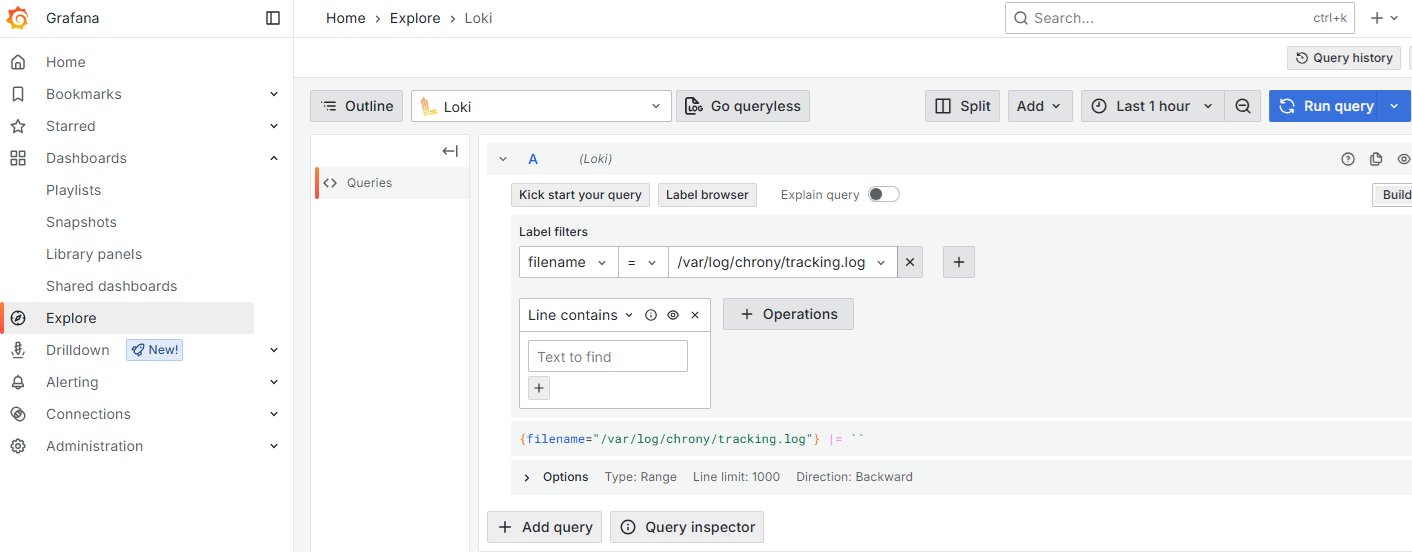
- In the top list, select Loki.
- In the Label filters list, select filename.
- In the Select value field, select a log file.
- Click +Operations to filter the file contents.
- Click +Add query to include additional filters – for example:
- In the top-right corner, click Run query to display the selected contents.