Click the Filter Options button to open the available filtering options.
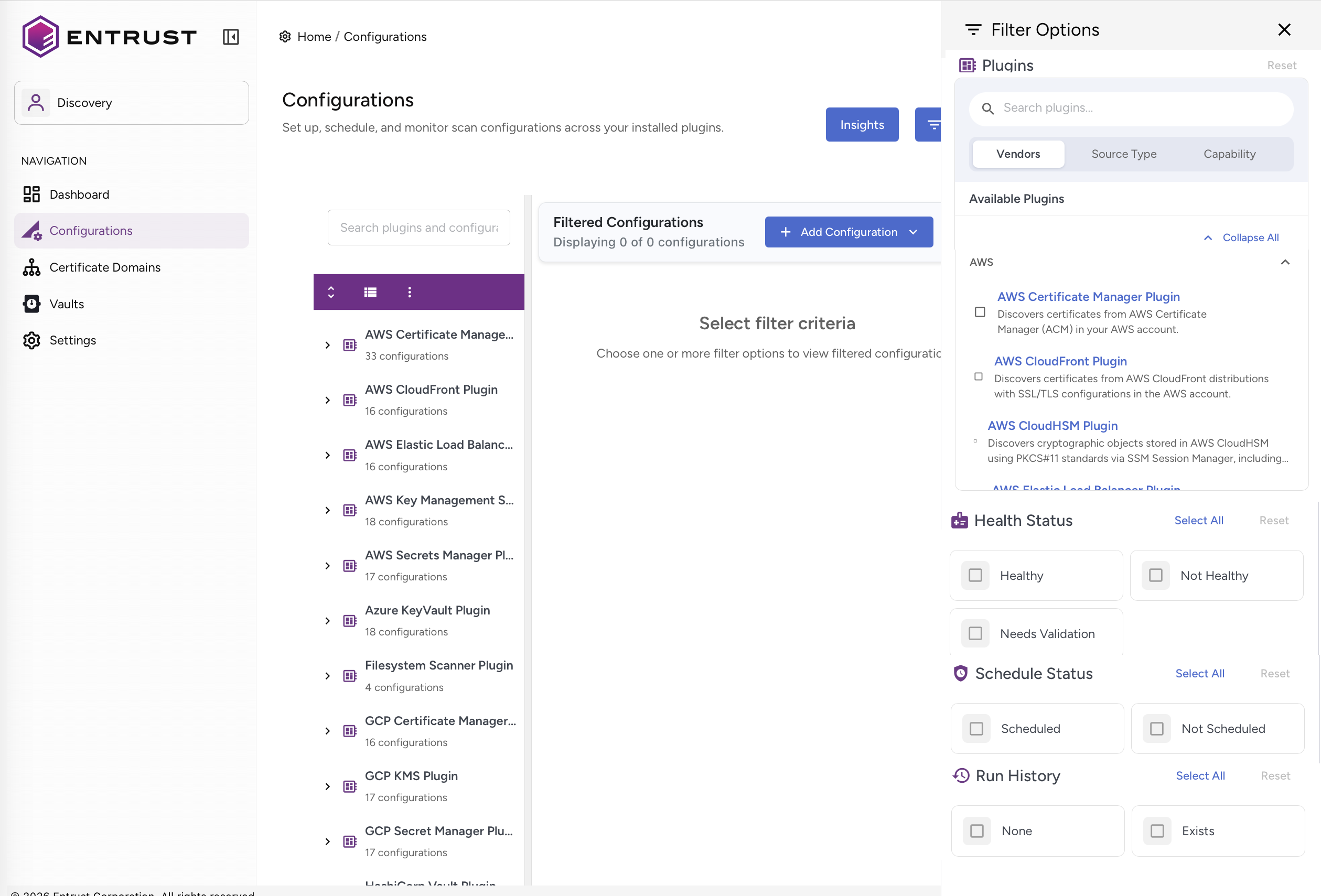
The following filters are available:
After running a filter, you can perform actions such as:
- Check the active filter count on the Filter Options button.
- Click Clear All Filters inside the drawer to reset all applied filters.
Available Plugins
This filter allows you to filter available plugins.
Health Status
This filter allows you to filter by health status.
Status | Description |
|---|---|
Healthy | Configurations passing connection tests |
Invalid | Configurations with connection problems |
Needs Validation | Configurations not yet tested |
Schedule Status
This filter allows you to filter by schedule status.
Status | Description |
|---|---|
Scheduled | Configurations with active schedules |
Not Scheduled | No associated schedule |
Run History
This filter allows you to filter by run history:
Status | Description |
|---|---|
Scheduled | Configurations with active schedules |
Not Scheduled | No associated schedule |