Agentic AI Governance is how Compliance Manager (CM) 10.6.1 and later assesses the AI agents it discovers in your environment. It answers a different set of questions than the cryptographic Risk Score:
- Who owns this agent?
- What can it reach?
- Who approves what it does?
- Would users know afterwards what it did?
CM answers these with a governance assessment: a structured, evidence-based picture of what is known and what is configured for every agent in your estate.
Important: This is a completeness measure, not a risk score. It tells you how much of the governance picture is filled in for an agent, not how risky that agent is. See Governance Completeness below.
Why Agents Need Their Own Assessment
An AI agent is not like a certificate or a key. An agent can:
- Hold an identity
- Access tools and services
- Use secrets and credentials
- Send data to a model
- Perform actions on behalf of users and systems
As a result, governance assessments focus on ownership, access, approvals, and auditability rather than traditional cryptographic risk factors.
Governance assessments apply to agents. MCP servers and tools are discovered, listed, documented, and counted alongside agents, but the governance assessment applies specifically to agents because they are the assets that hold identity, take action, and require oversight.
Where Governance Information Appears
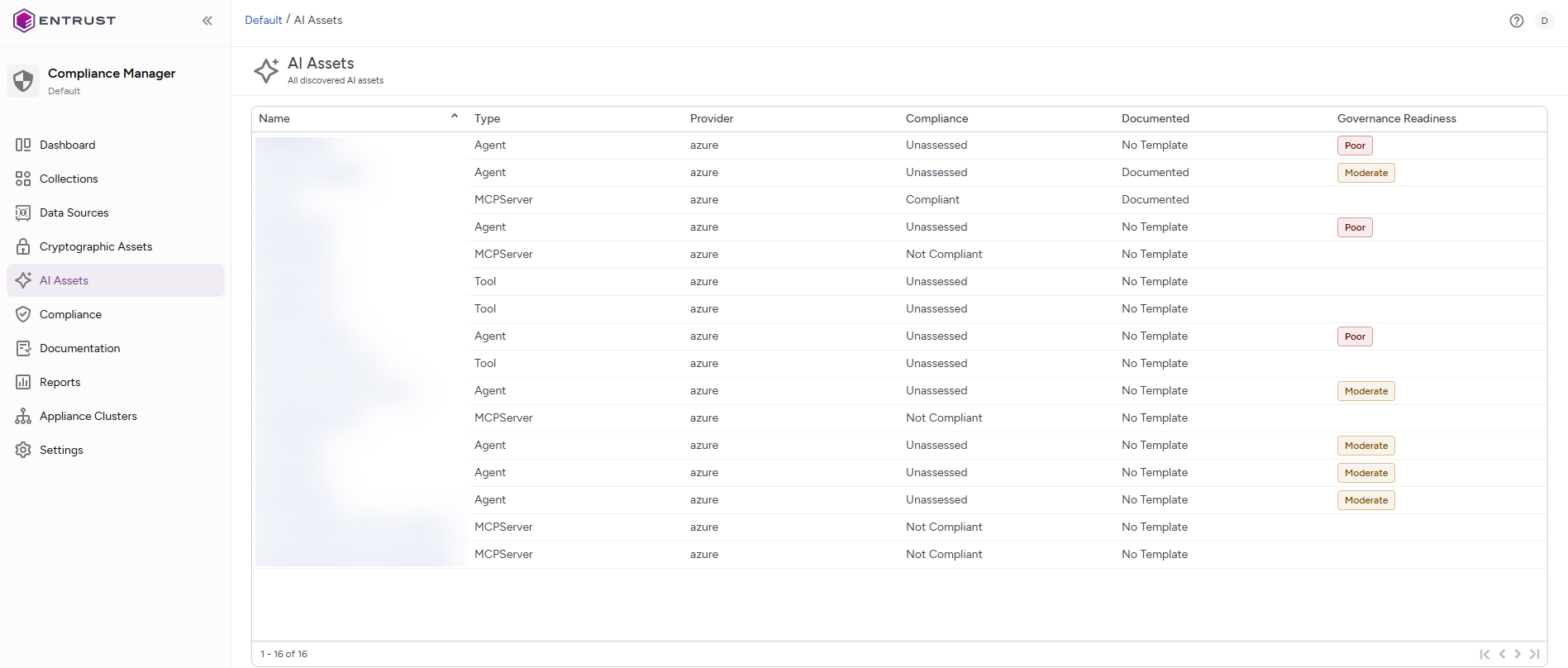
Agentic AI Governance information is available under AI Assets in the Cryptographic Security Platform Compliance Manager webGUI.
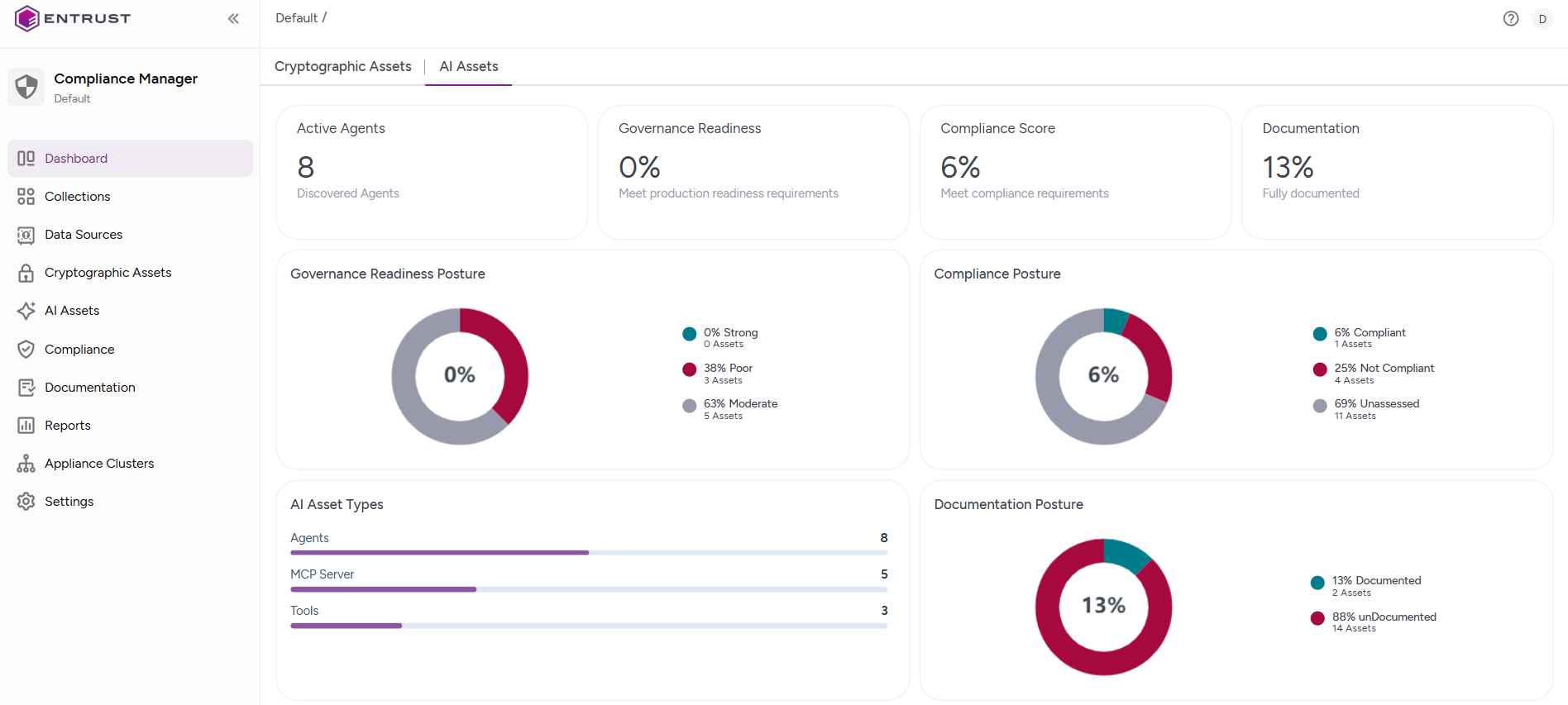
AI Assets lists every AI asset CM has discovered, with a dashboard above it showing counts of AI assets, agents, and MCP servers, as well as the distribution of governance readiness, providers, compliance posture and documentation posture.
Data source detail carries the same summary scoped to one data source, with compliance and documentation trends over time.
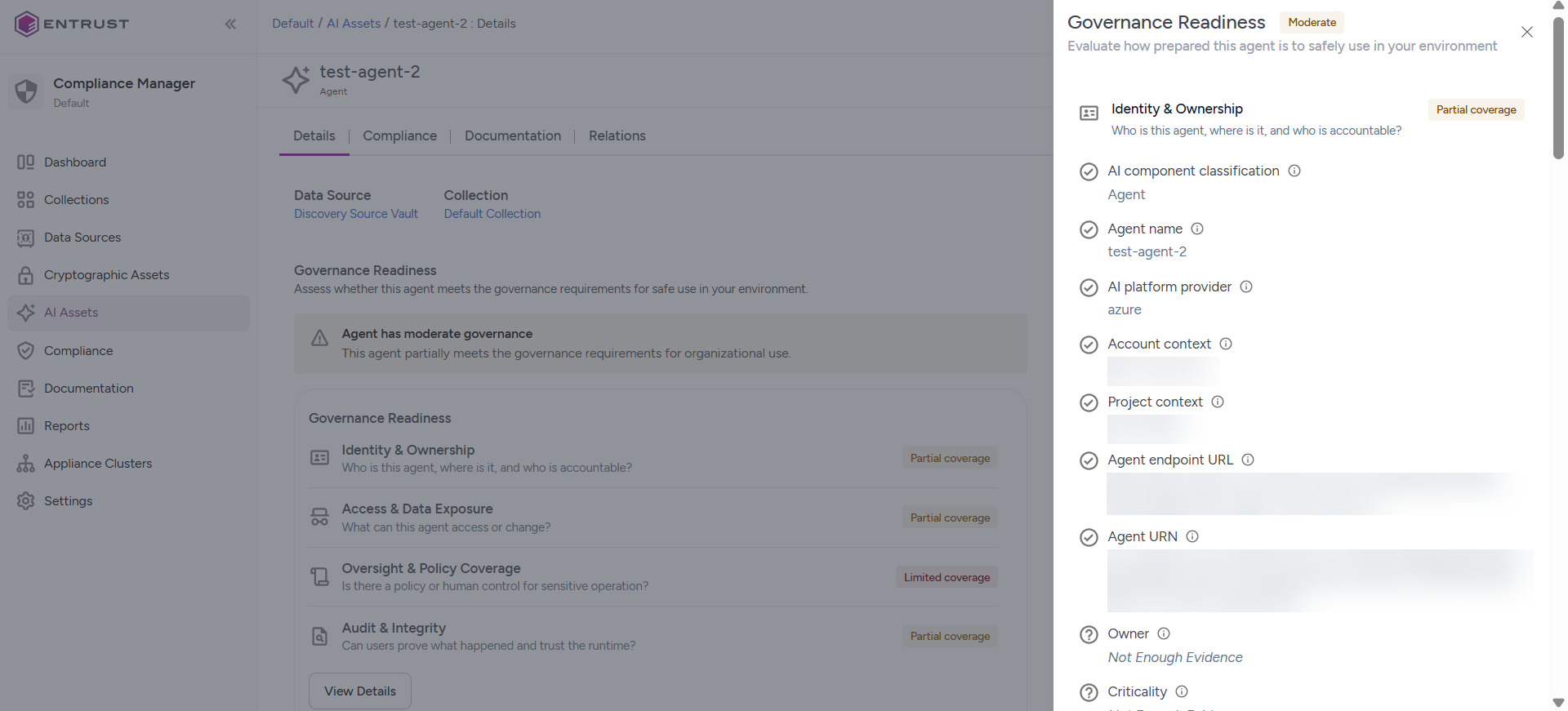
Agent detail is where the assessment itself lives: four pillar cards, each expandable to the individual data points behind it, and a Governance Completeness card summarizing the whole agent.
AI Dashboard | AI Assets List | Agent Details |
|---|---|---|
|
|
|
The Four Pillars
Every agent is assessed against 48 data points, grouped into four governance pillars.
Pillar | Data points | What it covers |
|---|---|---|
Identity & ownership | 15 | Who the agent is and who is accountable for it, including name, provider, account, project, endpoint, owner, criticality, purpose, authentication type, authentication identifier, whether the credential is HSM-protected, whether the platform manages the identity, and credential rotation. |
Access & data exposure | 13 | What the agent can reach and what it handles, including connected tools and MCP servers, permitted operations, built-in capabilities, available secrets, the model it calls, hosting region, data classification, PII exposure, public network access, network default action, rate or budget limits, and whether the encryption key protecting data at rest is HSM-protected and auto-rotated. |
Oversight & policy coverage | 12 | Who controls and approves the agent, including roles and permissions, policy assignment, human-approval (HITL) policies, secondary approval, approver groups, approval evidence, and content-safety controls such as content safety policies, prompt injection protection, tool call inspection, custom blocklists, PII protection, and secret protection. |
Audit & integrity | 8 | Whether the agent's activities can be reconstructed, including creation date, version, operational state, decision logging, log destination, HSM-secured logs, tamper-evident audit trail, and runtime deployment attestation. |
Each pillar card shows a coverage label and a count, for example Full coverage · 9/13. Coverage is Full at 67% and above, Partial from 34%, Limited below that, and No coverage when none of the pillar's data points are known. Expanding a card lists every data point with its current value, and an information icon explains what each one means and why it matters.
Governance Completeness and pillar coverage use different rating systems. Governance Completeness uses Strong, Moderate, and Poor, while individual pillars use Full, Partial, Limited, and No coverage.
Understanding Governance Data Point States
Each governance data point can have one of four states.
State | Meaning |
|---|---|
Recorded | The value is known and displayed, including an owner, a region, a model name, a count of connected tools. |
Configured | A control was found and it is switched on. |
Not configured | The control was found and it is switched off. CM knows the answer, and the answer is no. |
Not enough evidence | Nothing is known either way. The platform did not report it and nobody has documented it. |
Important: Not configured is a finding. Not enough evidence is a gap in your visibility. An agent showing Not configured for prompt injection protection is a decision someone made. An agent showing Not enough evidence for the same control might be fully protected but CM simply cannot see it. Not configured and Not enough evidence require different responses and are therefore reported separately.
Where the Evidence Comes From
Compliance Manager assembles governance assessments from three sources.
Source | Description |
|---|---|
Discovered from the platform | Most identity, lifecycle, and configuration information is retrieved directly from the provider. Examples include:
|
Inferred from relationships | Fifteen of the 48 governance data points are not properties of the agent itself. Compliance Manager derives them from what the agent is connected to. Connected tool and secret counts are derived from the agent's The following content-safety controls are derived from the model used by the agent:
|
Recorded by you through documentation | Six governance data points cannot be discovered automatically because they are business facts rather than technical attributes:
Documenting an agent populates these values and updates the governance assessment immediately. For more information about documentation, see: Documentation. |
Governance Completeness
The card on the agent detail page shows an overall label and a summary such as 31 of 48 data points present (65%).
Label | Completeness |
|---|---|
Poor | below 34% |
Moderate | 34% – 66% |
Strong | 67% and above |
Governance Completeness is a completeness measure, not a risk score. It indicates how much of the governance picture is filled in, including how much information is known about the agent and how much is actively configured. Every governance data point contributes equally to the overall score. A missing owner and a disabled content-safety policy affect the score by the same amount.
Governance readiness answers "Could we defend this agent in an audit?", not "How dangerous is this agent?" An agent with a Strong Governance Completeness assessment can still require additional review before deployment. A newly discovered agent might initially receive a Poor assessment simply because insufficient information is available at the time of discovery.
When the Assessment Updates
Governance is recalculated automatically at three points:
When an agent is discovered or re-synchronized from its data source.
After Compliance Manager resolves the agent's relationships to models, infrastructure, tools, and secrets.
Whenever agent documentation is updated and saved.
Fifteen of the 48 governance data points are relationship-derived. As a result, a newly discovered agent's Governance Completeness can increase automatically shortly after discovery. Give recently discovered agents time to complete the assessment process before evaluating the assessment.
Additional Considerations
- Connected tools and available secrets indicate what an agent can access, not necessarily what it has used.
- Human-approval and secondary-approval policies indicate that approval requirements are configured. They do not indicate that an approval action has occurred.
- PII protection and secret protection are considered configured only when protection is applied in both directions.